

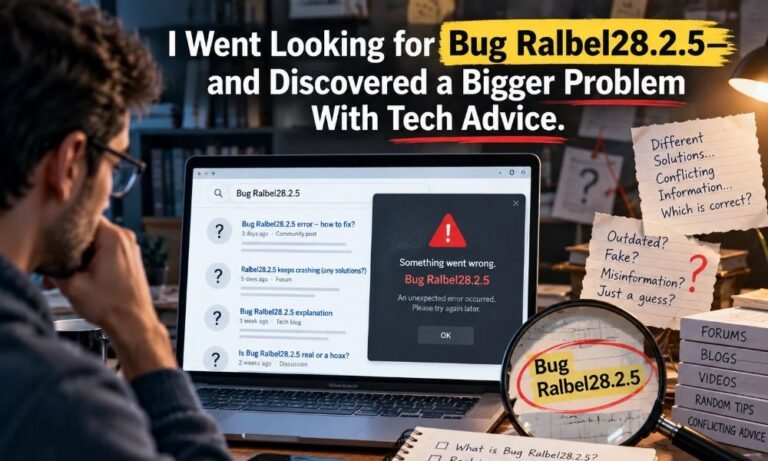
I had one simple goal: find out what Bug Ralbel28.2.5 means and how someone might fix it. I thought I would find a software name, a help page, and clear steps. Instead, I found many pages with answers, but few clear facts about the thing they were trying to fix.
Bug Ralbel28.2.5 changed my search. I was no longer just looking for a fix. I was asking a more basic question: Can we trust advice about a bug when we cannot confirm where it came from?
Here is what I found, what I could not prove, and what you can do when a strange tech term leads you into a maze of advice.
A Name That Looks Real
At first, Bug Ralbel28.2.5 looks like a normal bug report. The word “bug” means something in a program is not working as planned. The numbers look like a version number. Apps often use numbers to show which update is on a device.
That makes the name sound clear. But a clear-looking name is not proof that Bug Ralbel28.2.5 has been confirmed.
I started with an article from Trendify Magazine. It talks about crashes, slow speed, failed installs, and app errors. It also gives an important warning: there is very little verified public detail about the software itself. The article says no official release notes or maker’s guide could be confirmed.
That warning mattered more than any quick fix. If I could not name the company that made the software, how could I know which fix was right?
My First Stop Was the Search Page
I searched for Bug Ralbel28.2.5 and found other posts about it. Some called it a software issue. Others spoke about missing files, app crashes, or bad updates. A few offered steps that sounded useful for almost any broken app.
But I kept looking for a link to the maker. I wanted a product page, a named support team, or a report from the people who wrote the code. I did not find a source I could check and trust as official in the results I reviewed.
That does not prove Bug Ralbel28.2.5 is made up. It means I could not confirm it from the public material I checked. A private work tool, a small app, or an internal code name may leave very little public trace. The safe answer is “not verified,” not “fake.”
This is where the search got more interesting. Many pages were ready to tell me how to fix Bug Ralbel28.2.5. Yet the first fact I needed—the name of the actual program—was still missing.
Why So Many Pages Sound Sure
When people need help, they often type a short phrase into a search box. A site may see that phrase and write a page to answer it. That can be useful when the writer has tested the fix or checked the maker’s notes.
It is less useful when the page starts with a guess and writes as if the guess were a fact.
For Bug Ralbel28.2.5, I saw the same broad ideas turn up more than once: restart the device, update the app, check add-ons, or install it again. Those steps can help with real software faults. But they do not show that this exact bug causes the fault.
The problem with Bug Ralbel28.2.5 advice is not that every tip is bad. The problem is that a general tip can be made to look like a proven cure. A reader may not see the gap.
I learned to ask one question each time a page made a bold claim: “How does the writer know?” If there was no test, log, official note, or clear source, I treated the claim as a guess.
The Missing Piece Was the Maker
For a known app, there is usually a trail. Bug Ralbel28.2.5 left no such clear trail in what I reviewed. The maker may have a site. There may be a help desk, update notes, a download page, or a list of known faults. These give users a way to check facts.
With Bug Ralbel28.2.5, that trail was not clear in the sources I found. I could not confirm who built “Ralbel,” what it does, or which devices it runs on. Some posts give possible uses for it, but those claims need proof.
This matters because a fix depends on the app. A step meant for one program can break another. Even a good idea, like installing an older version, can cause trouble if it changes files that the new version uses.
Before you follow advice, find the name shown in the app, its full version, and the maker. If you cannot do that, do not rush to use a “special patch.” You may be solving the wrong problem.
What I Would Check on a Real Device
If someone told me they saw Bug Ralbel28.2.5 on a computer, I would first ask them to show me where they saw it. Was it in an error box? On a page? In a file name? Or only in an article they read?
Those are very different things. The first task with Bug Ralbel28.2.5 is to find where the name came from. A phrase on a web page is not proof that it is an error on your device.
Next, I would write down the exact words on the screen. I would note the app name, the time, and what I was doing before the problem began. I would also check whether other apps work. This can show if the fault is in one program or in the device as a whole.
On Windows, the built-in Event Viewer can show some app errors, with times and error codes. Microsoft’s guide explains what that tool does. You do not need to change settings just to look at an error.
I would save the facts before trying a fix. That way, I could tell if a step helped or made things worse.
The Risk Behind a Quick Fix
Searches for Bug Ralbel28.2.5 can also lead to pages that say they have the answer. A “fix now” file may seem like the fastest way out. But when the app maker is not known, it is hard to check who made that file or what it will do.
Bug Ralbel28.2.5 offers a real safety lesson, even though its status is unconfirmed. The U.S. Federal Trade Commission warns that scammers can place fake software ads in search results. The agency tells people to go to a known, trusted site instead of clicking a software ad.
So I would not download a tool that claims to remove Bug Ralbel28.2.5 unless I could confirm its source. I would not turn off virus protection to make it run. I would not share a password with a stranger who says they can help.
A slow, careful check is better than a fast download that may put your files at risk.
What Safe Help Looks Like
Good tech advice says what it knows and what it does not. It names the app. It gives the version. It shows where the fix came from. It tells you what may change and how to go back if the step fails.
For Bug Ralbel28.2.5, no one-size-fits-all fix can be confirmed from the public sources I checked. But basic care still makes sense if your device has a real fault.
Start with steps that are easy to undo. Save your work. Close and reopen the app. Check the exact error text. Make a copy of key files before you change an app or its settings. If you need an update, get it from a source you know belongs to the maker.
If the app has a repair option, read what it does first. Microsoft says some Windows apps have a repair choice, but not all do. This is a general Windows tip, not a confirmed cure for this name.
If you still need help, tell a trusted support person what you saw and what you tried. Clear facts save time.
What This Search Taught Me
I went into this story looking for the answer to Bug Ralbel28.2.5. I left with a new rule for reading tech help: check the source before you check the solution.
The search was useful even though it did not lead to a proven bug report. It showed how easy it is for a term to gain a life of its own online. One page repeats a claim. Another page builds on it. Soon, a reader may feel that many posts must mean the claim is true.
But ten pages that repeat the same weak claim are not the same as one good piece of proof. We still need to know which app, which version, which error, and who found it.
This rule helps far beyond Bug Ralbel28.2.5. It works for strange phone alerts, laptop errors, game updates, and scary pop-ups. The words may change. The need for proof stays the same.
The Answer I Can Give Today
After checking the linked report and other public search results, I could not verify Bug Ralbel28.2.5 as a named bug from an identified software maker. I could not confirm an official release note, a tested cure, or one set of symptoms that belongs to it alone.
That does not close the case. It sets a clear limit on what can be said today. If a real app or official support page can be tied to this name, the story may change.
For now, my best advice is simple. Treat Bug Ralbel28.2.5 as an unverified label, not a diagnosis. Check what is really on your screen. Keep your files safe. Trust proof more than bold claims.
The big lesson from this search was not a magic fix. It was a better way to spot helpful advice: good advice shows its work, names its limits, and puts the reader’s safety first.
